
Choose a seed segment.
Catch spam placement before launch.
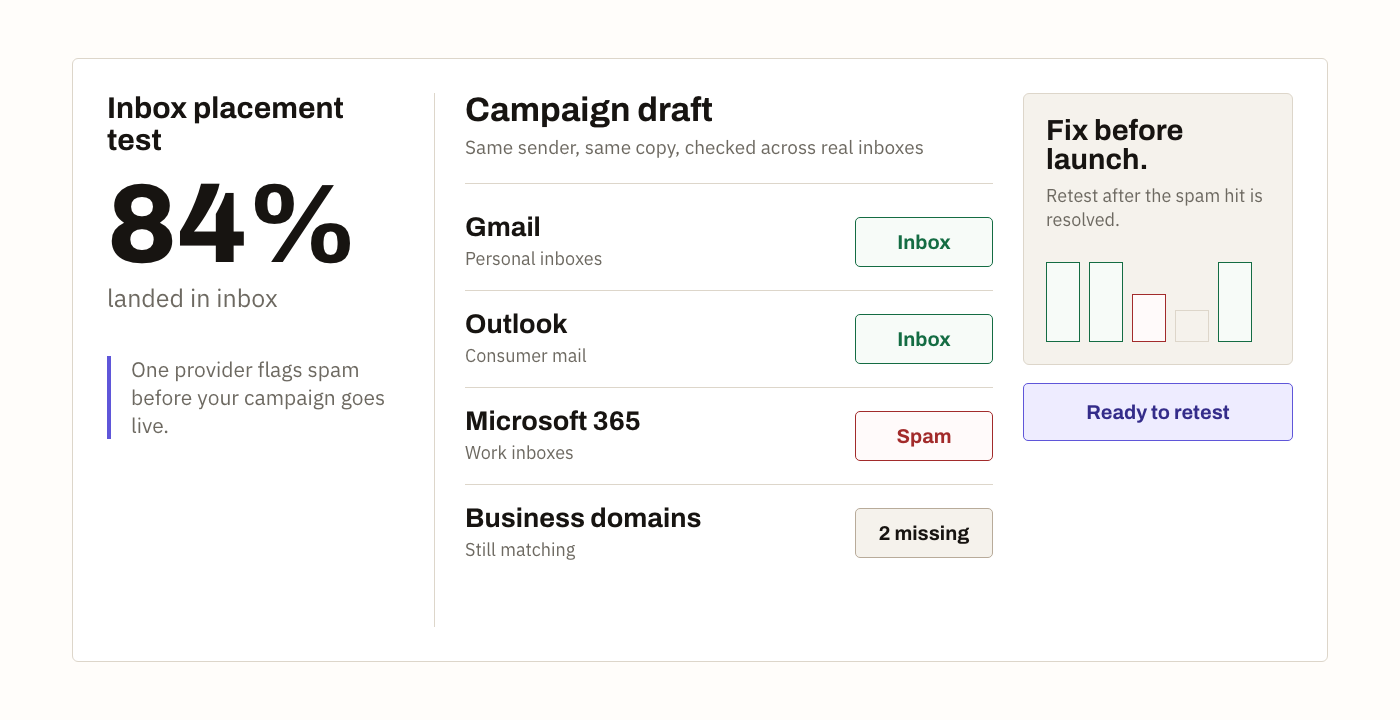
Send the real campaign through your normal platform and see which provider inboxes classify it as Inbox, Promotions, Spam, or still Missing.
Last reviewed 2026-08-20
Test before every send.
Send to the generated recipients with the tracking token.
Review placement and rerun after changes.
Fix with evidence.
See the provider outcome, make one defensible change, and retest the same sending path.
A spam test should observe the mailbox
Static content scanners can catch broken HTML, suspicious links, and obvious authentication failures. They cannot prove where Gmail or Outlook placed the finished message. Sendlander uses controlled seed inboxes so the result is based on a message received through your production-like route, not a prediction made from draft copy alone.
The result remains a sample. Real subscribers have their own history with your sender and may have organization rules or personal filters. Use the test to find broad provider patterns and compare a repair, not to claim a universal guarantee.
Send the message you will really use
Keep the From address, ESP or CRM, subject structure, HTML, images, tracking links, and unsubscribe handling. Sendlander prepares the seed recipients and a unique token; you send one message through the platform that will handle the campaign. No mailbox connection is required for the manual test.
A plain sample from a different mailbox can miss the exact return path, DKIM signing domain, rewritten links, and template that filters will see in production. Representative input is more important than polishing a fake test message.
Read Spam, Promotions, and Missing separately
Spam is a direct junk-folder observation. Promotions is a separate tab outcome that may be acceptable for a newsletter but harmful for a message expected in Primary. Missing means the system has not observed a matching copy by the reporting cutoff; it may reflect delay, rejection, routing, or matching and should not be silently counted as spam.
Review providers before the aggregate. One provider can filter a message while others inbox it, and the repair should follow that evidence rather than an average that hides the outlier.
A static scanner and a mailbox test answer different questions
A content scanner can find malformed HTML, a missing plain-text part, a suspicious redirect, or an authentication record that is obviously wrong. Those checks are useful, especially during sender setup. They are still an inspection of the message and infrastructure rather than an observation of where several providers placed the delivered copy.
Use a scanner when you need to debug the construction of a message. Use an inbox placement test when the launch question is whether a production-like message is already reaching controlled Inbox, Promotions, or Spam folders. A strong pre-send routine often uses both and does not pretend that one score replaces the other.
What a missing result can mean
Missing is intentionally separate from Spam. The message may be delayed, rejected upstream, routed differently, or not yet matched to the run. If only a few results are missing, wait for the observation window and review the provider pattern. If an entire provider group is missing, inspect delivery responses and the send itself before blaming content.
Do not improve an aggregate percentage by quietly dropping missing seeds from the story. Show how many targets matched and which ones remain unresolved. That makes a partial report useful without making it look more complete than it is.
Fix the strongest evidence first
Start with failed authentication, compromised infrastructure, harmful audience sources, or a relevant blocklist. Then investigate provider-specific reputation, tracking domains, broken links, malformed HTML, and message clarity. Do not rewrite every sentence because a rules-based checker disliked one word.
Change one meaningful variable and rerun the same provider mix. A comparable retest tells you whether the fix helped; a completely different campaign only produces a second unrelated snapshot.
Quick answers.
Need API access? Try our partner service MailSlurp.
Is this a simulated spam test?
No. The test is based on delivered messages in seed inboxes, then reported back as inbox, spam, or pending.
Do I need to connect my email account?
No. For the first manual test, send the email yourself from your normal sending platform.